Developer Offer
Try ImaginePro API with 50 Free Credits
Build and ship AI-powered visuals with Midjourney, Flux, and more — free credits refresh every month.
Transform Your Instagram Stories With The New Restyle AI
Meta has introduced an exciting new feature for Instagram Stories called Restyle. Powered by Meta AI, this tool allows you to completely reimagine your photos and videos by adding, removing, or changing elements with simple text prompts. Whether you want to erase a photobomber or transport your selfie to a new location, Restyle puts powerful AI editing directly at your fingertips. The feature is currently rolling out to users in the United States.
This integration is a significant move, as it introduces advanced AI editing to a massive audience that might not otherwise download a separate AI application. It makes creative experimentation more accessible than ever before.
How to Use Restyle in Your Instagram Stories
Getting started with Restyle is straightforward. Here’s a simple guide to transforming your own media:
- Start a Story: Open Instagram and tap the plus sign on your profile picture to create a new Story.
- Select Your Media: Choose a photo or video from your camera roll.
- Find the Restyle Icon: In the Story editor, look for the paintbrush-style Restyle icon located in the top menu.
- Choose an Action: You can either type your own custom prompt or select from preset styles and effects.
- Generate: After entering your prompt, tap Done. In just a few moments, the AI will generate your new image.
- Refine and Finish: If you're not happy with the first result, you can hit the reload icon for a different version or tap Undo to go back. Once you’re satisfied, tap Done again to add the image to your Story.
For an extra layer of engagement, you can add the Add Yours sticker to encourage your friends to try out the same effect and join the trend.
When editing videos, the process is similar, but you'll have access to a range of preset effects like Underwater, Snowstorm, or Fire and flames.
A Creative Walkthrough From Pet to Superhero
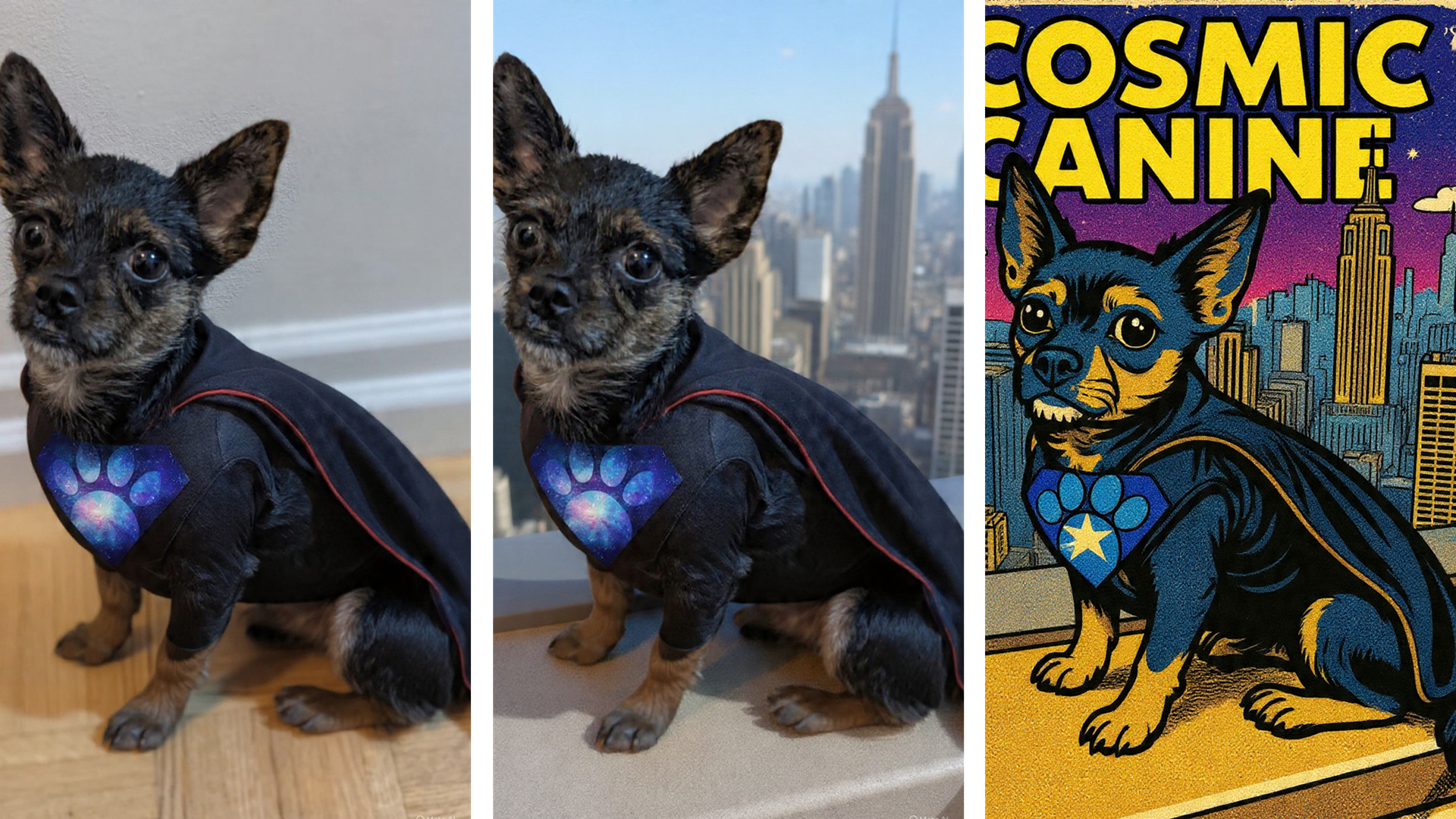
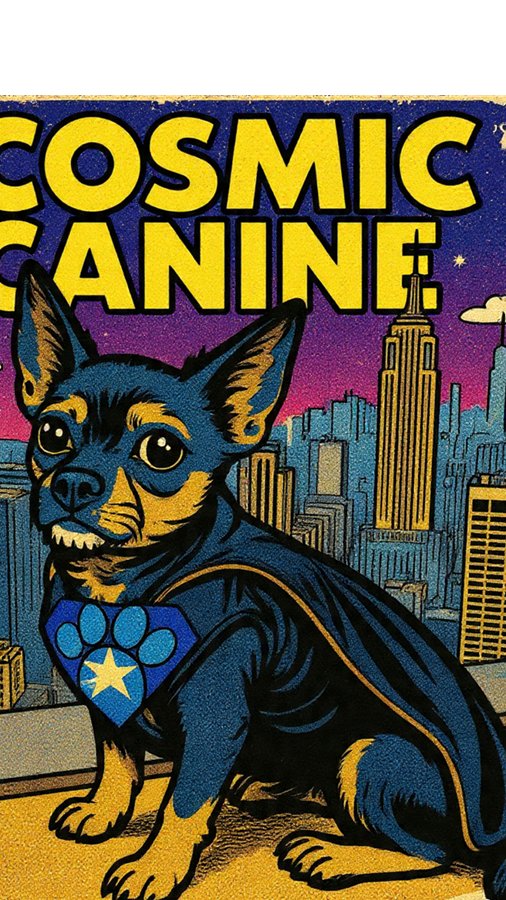
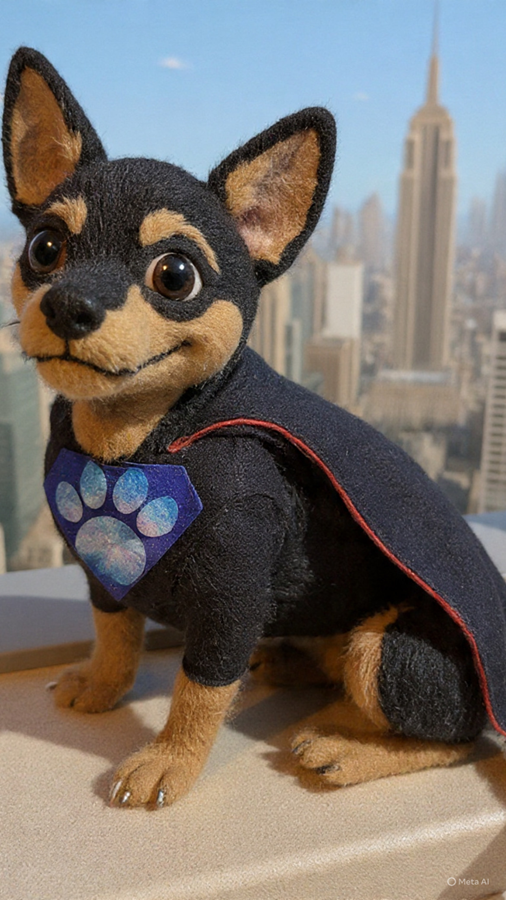
The creative possibilities with Restyle are vast. In one experiment, a simple portrait of a dog wearing a bandana was transformed into a superhero scene. The process started with the prompt, "Remove the bandana," followed by "Add a superhero costume."
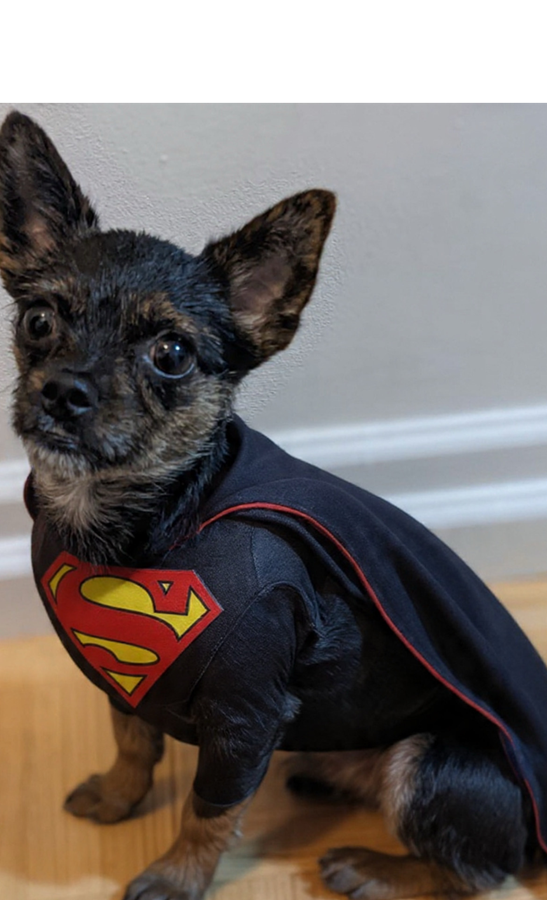
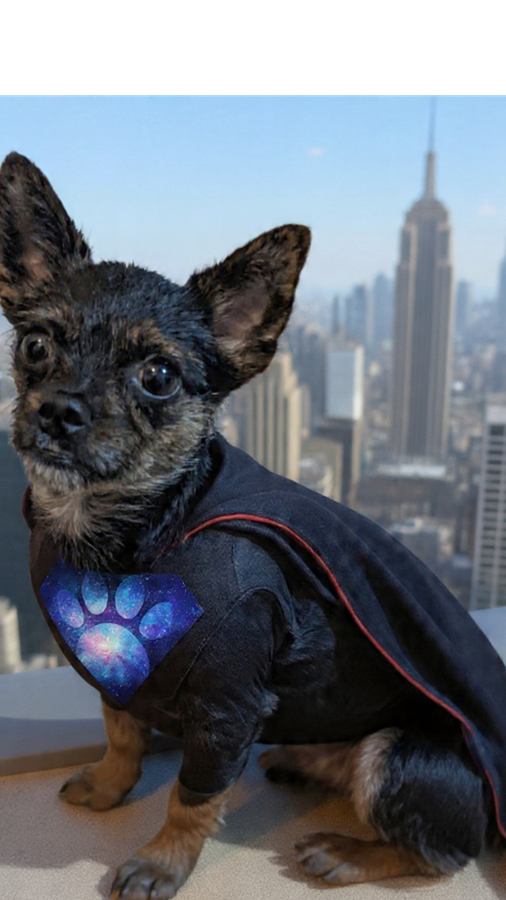
The initial result was impressive but resembled a well-known superhero. To create something more original, the prompt was refined to "Change the superhero emblem to something related to space and dogs." Finally, the background was altered with the prompt, "Change the background to a skyscraper rooftop."
The tool can even change the entire artistic style. With further prompts like "Change it to look more like a comic book" and "Add details of a comic book called 'Cosmic Canine,'" the image was turned into a fun comic book cover.
AI Editing Becomes Mainstream
By integrating Restyle directly into Stories, Instagram is entering a competitive space for AI photo editing, going up against tools from platforms like Google Photos and X (formerly Twitter), which is pushing its Grok AI tools. However, Meta’s advantage is its massive, built-in user base.
The goal seems to be virality, with the Add Yours sticker encouraging widespread use of these AI-generated images. While AI tools are not always perfect and may sometimes produce flawed or derivative content, Restyle is a fun and powerful feature that makes creative editing accessible to everyone on Instagram.
Compare Plans & Pricing
Find the plan that matches your workload and unlock full access to ImaginePro.
| Plan | Price | Highlights |
|---|---|---|
| Standard | $8 / month |
|
| Premium | $20 / month |
|
Need custom terms? Talk to us to tailor credits, rate limits, or deployment options.
View All Pricing Details