Developer Offer
Try ImaginePro API with 50 Free Credits
Build and ship AI-powered visuals with Midjourney, Flux, and more — free credits refresh every month.
Try Google Pics: Easy image creation and editing in Google Workspace
Try Google Pics: Easy image creation and editing in Google Workspace

Google Pics Alternative: Why Imagine Pro Is the Professional Choice for AI Image Generation
When teams need a quick image edit inside the Google Workspace ecosystem, Google Pics often feels like the obvious option. It is lightweight, convenient, and close at hand. But as creative demands grow, many professionals begin looking for a Google Pics alternative that can generate original, high-resolution visuals rather than simply adjusting existing photos. That is where Imagine Pro enters the conversation.
In this deep dive, we will examine what Google Pics does well, where it falls short for advanced creative work, and why an AI-powered platform like Imagine Pro has become the go-to choice for marketers, designers, and content teams. We will also explore the technical side of AI image generation, real-world implementation lessons, and a practical decision framework for choosing the right tool for your workflow.
Understanding Google Pics and Its Role in Google Workspace
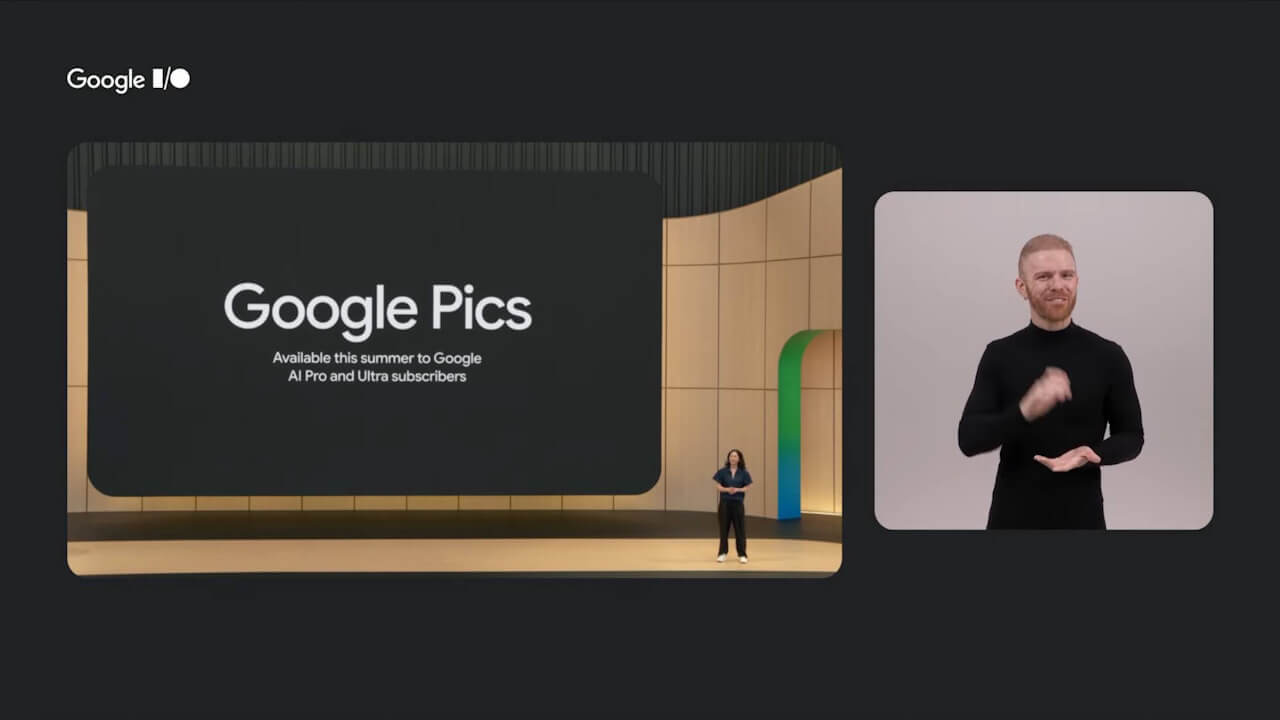
Before we compare alternatives, it is helpful to understand where Google Pics fits in the broader Google Workspace suite. Unlike a standalone design application, Google Pics is designed for speed and accessibility. It lives inside the same ecosystem as Google Docs, Google Drive, and Google Slides, which makes it easy to grab an image, make a quick adjustment, and drop it into a presentation or document without leaving your browser.
What Is Google Pics? A Quick Overview
Google Pics is essentially a lightweight image creation and editing tool for Google Workspace users. It is built for common tasks like cropping, resizing, applying filters, adding text overlays, and making basic annotations. It is not intended to replace full-featured image editors such as Photoshop or Figma. Instead, it serves a simple purpose: help workspace users produce acceptable visuals quickly, with minimal friction.
The product fits into the “good enough” category. If you need to create a simple social graphic from a template, correct the color balance on a product photo, or highlight an area of a screenshot, Google Pics gets the job done. It also benefits from Google’s collaboration model, allowing multiple people to view and edit images in real time.
How to Try Google Pics: Access and Setup

Accessing Google Pics is straightforward for anyone already using Google Workspace. In most cases, you can find it in the Workspace app launcher, represented by a small image icon. Depending on your organization’s settings, it may also appear as a shortcut in Google Drive under the “New” menu. Some users encounter Google Pics when clicking on an image file in Drive and choosing “Open with Google Pics.”
If your admin has not enabled it, you may need to request access through your Workspace administrator. The setup process is minimal because Google Pics is cloud-based and requires no local installation. Once activated, it appears across all your devices automatically, which reinforces its convenience for quick tasks.
Core Image Creation and Editing Features

The feature set of Google Pics covers the basics. Users can crop and straighten images, adjust exposure and saturation, apply a handful of preset filters, draw simple annotations, and overlay text. Templates exist for common formats like Instagram posts, YouTube thumbnails, and document headers. There is also a basic AI-assisted enhancement that one-click adjusts brightness, contrast, and sharpness.
For the intended audience, these features are enough. A teacher creating a worksheet, a manager preparing a slide deck, or a small business owner modifying a flyer can all accomplish their goals without learning a complicated editor. However, as soon as the task becomes more ambitious, the limitations start to surface.
Why a Google Pics Alternative Matters for Professionals
The demand for a Google Pics alternative is not about disliking the tool. It is about matching the tool to the job. When the job requires original visual content, high-resolution output, or artistic control, Google Pics simply does not have the muscle. Professionals in marketing, design, and content production need more than filters and crops. They need an AI image generator that can transform a text prompt into a unique visual in seconds.
Limitations of Google Pics for Advanced Creative Work
There are several common friction points that push professionals away from Google Pics. First, it lacks prompt-based generation. You cannot type “a photorealistic mountain lake at sunset with a wooden cabin” and receive a custom image. Second, the output resolution is limited. Images generated or edited through Google Pics are optimized for screen-based consumption, not for large-format printing or high-resolution advertising. Third, artistic control is minimal. There is no way to influence composition, lighting, or style on a granular level.
In practice, these limitations mean that a professional might use Google Pics for a quick internal memo but would never use it for a client-facing campaign. These limitations are exactly why a Google Pics alternative is worth serious consideration. When your deliverable needs to stand out on a billboard or an Instagram feed, a basic editing tool cannot compete with an AI generator capable of producing stunning, original imagery.
AI image generator for professionals: What to Look For

If you are evaluating an AI image generator for professionals, set clear criteria before comparing tools. The most important features include:
- High-resolution output: Images should be large enough for both digital and print use.
- Fast generation speed: Waiting minutes for one image kills creative flow.
- Style variety: The tool should handle photorealistic, fantasy, abstract, and branded visual styles.
- Commercial usability: You need to know the images you generate can be used in paid campaigns.
- Iteration ease: Refining prompts and generating variations should be simple and quick.
These criteria form the backbone of a practical professional evaluation. A tool that excels in these areas will save hours of design time and produce assets that would otherwise require an expensive photoshoot or a freelance illustrator.
The Expanding Demand for High-Resolution AI Imagery
Why is high-resolution AI imagery becoming table stakes? Because audiences expect richer visuals than ever before. Social media posts, programmatic ads, website hero sections, and even internal pitch decks rely on polished imagery. Teams that once grabbed stock photos now need custom visuals that align with brand identity and stand out from generic templates.
AI image generation has shifted the cost curve. Before, creating a custom illustration or photorealistic scene required substantial time and money. Now, with the right tool, a single prompt can produce a high-resolution image in seconds. This trend is why a Google Pics alternative focused on AI generation has become essential for modern creative teams.
Imagine Pro vs Google Pics: Which Fits Your Workflow?
Now we reach the central comparison. Imagine Pro and Google Pics solve different problems. Understanding the distinction helps you decide which one belongs in your workflow. Let’s explore the comparison through a feature-based framework.
Feature-by-Feature Comparison
| Feature | Google Pics | Imagine Pro |
|---|---|---|
| Core purpose | Quick edits and light design | AI-driven original image generation |
| Text-to-image generation | No | Yes, with high-resolution output |
| Editing tools | Crop, filter, annotate, basic adjustments | Refine prompts, generate variations, upscale |
| AI assistance | One-click enhancement | Full prompt-to-image pipeline |
| Resolution | Screen-optimized | Large format, print-ready options |
| Collaboration | Native Google Workspace collaboration | Share and download directly |
| Learning curve | Very low | Low, but prompt skill matters |
| Best for | Internal documents, quick edits | Marketing assets, concept art, campaigns |
The table above captures the fundamental difference. For teams evaluating a Google Pics alternative, this table condenses the key differences. Google Pics is a utility tool. Imagine Pro is a creation engine. For any task that requires original visual content, the latter clearly wins.
Image Quality, Resolution, and Creative Control
Google Pics produces images that look fine on a laptop screen but quickly show their limitations when scaled up. Imagine Pro, on the other hand, is built for image quality. It can generate photorealistic portraits, fantasy landscapes, product visuals, and abstract art in high resolution. This makes it a suitable tool for advertising creative, website visuals, and large-format presentation graphics.
Creative control is another differentiator. With Google Pics, you are limited to editing what already exists. With Imagine Pro, you describe exactly what you want in natural language, and the AI interprets your description. Need a group of astronauts floating in a retro-futuristic space station? That is a prompt, not a manual illustration. The creative range is dramatically wider. That makes Imagine Pro more than a Google Pics alternative; it is a category beyond it.
Speed, Ease of Use, and Workspace Integration
Google Pics wins on pure convenience because it is embedded in Google Workspace. There is no separate account, no new interface, no learning curve. For a quick edit, it is effortless.
Imagine Pro offers a different kind of speed. Instead of editing, you generate. In the time it would take to manually crop and filter a photo, you can type a prompt and receive three or four new image options. The learning curve is slightly steeper because prompt quality affects output quality, but the reward is a virtually unlimited supply of original visuals. For teams that need both tools, a hybrid workflow works best.
How Imagine Pro Answers the Google Pics Alternative Question
If you are looking for a Google Pics alternative that offers more than basic editing, Imagine Pro delivers. It is not just a replacement; it is an upgrade to a completely different category of image creation.
From Text Prompt to Stunning Visuals in Seconds
The core value of Imagine Pro is simple: you type an idea, and you receive high-resolution images in seconds. For example, a social media manager might enter “a vibrant 3D illustration of a coffee cup with steam forming a smiley face, pastel background, product advertising style.” Within moments, the platform returns several variations that can be used directly in a campaign.
This workflow is fundamentally different from editing. You are not waiting for a designer to source stock photos, remove backgrounds, and arrange layers. You are generating original assets on demand. In a fast-paced marketing environment, this speed is decisive.
Photorealistic to Fantasy: Imagine Pro’s Creative Range
Imagine Pro’s style range is one of its strongest attributes. It can produce photorealistic images that are nearly indistinguishable from camera captures. It can also create fantasy worlds, surreal compositions, character designs, and abstract textures. This flexibility is invaluable when exploring visual directions for a new brand campaign.
Designers often use Imagine Pro in early ideation phases to explore multiple concepts before committing to a final direction. Instead of spending hours sketching or searching for references, they generate a range of options and pick the strongest angles. This creative range is simply not available in a tool like Google Pics.
High-Resolution Outputs Ready for Professional Projects
Resolution matters. A low-resolution image can ruin an otherwise great design. Imagine Pro is designed with professional output in mind, offering images that hold up to scrutiny at print sizes and in high-definition digital channels. That makes it appropriate for product packaging, large-format ads, and website hero images.
Contrast that with Google Pics, which is more about lightweight editing than original AI art generation. If your deliverable requires a poster-sized visual or a detailed texture for a 3D mockup, Google Pics will not get you there. Imagine Pro will.
Free Trial and Getting Started with Imagine Pro
The best way to evaluate Imagine Pro is to try it. The free trial gives you a low-risk opportunity to generate a handful of prompts and judge the output quality for yourself. Start with a simple idea that is relevant to your work. Compare the result side by side with anything you would normally produce using Google Pics. In most cases, the difference in creativity and production value will be obvious.
To begin, create an account, write a descriptive prompt, and make note of the output resolution. Then try refining the prompt to see how much control you have over style and composition. The free trial is designed to answer the question every professional asks: is this tool good enough for my actual projects?
Technical Deep Dive: Under the Hood of AI Image Generation
To appreciate why Imagine Pro outshines a tool like Google Pics for original visual work, it helps to understand how AI image generators function under the hood.
How AI Image Generators Transform Prompts into Images
AI image generators use deep learning models trained on massive datasets of images and text descriptions. When you type a prompt, the model encodes the text into a latent representation, then decodes that representation into an image. During training, the model learns relationships between words and visual features. It learns that “sunset” tends to produce warm colors, that “photorealistic” suggests realistic lighting and texture, and that “surreal” opens the door to unexpected elements.
This process is not like searching a stock library. The model constructs a new image from learned patterns. This is why the same prompt can yield slightly different results each time. The randomness, controlled by a seed or sampling step, is actually beneficial because it lets you generate variations quickly.
Why Resolution and Detail Matter in Professional Work
Resolution is not just about pixels. It is about the amount of detail that can be represented. In professional work, images are often scaled to different dimensions. A hero image on a website might be displayed at 1440 pixels wide, while a printed poster might require 300 DPI at 18 inches, which is over 5,000 pixels wide. If the source image lacks detail, scaling reveals blur and artifacts.
AI generators that output high resolution from the start preserve edge sharpness, texture, and fine details. This matters for brand consistency as well. A campaign that uses the same AI style across multiple formats needs images that do not degrade when resized. Tools like Imagine Pro focus on this requirement, while lightweight editors typically do not.
Prompt Engineering Basics for Better Results
Prompt quality directly influences output quality. A vague prompt like “a picture of a car” produces a generic result. An experienced prompt engineer would write something like “a red 1967 Ford Mustang parked on a rain-soaked Tokyo street at night, neon signs reflecting in puddles, cinematic lighting, 35mm film look.” The extra detail gives the model clear guidance on subject, style, setting, and mood.
Some practical strategies include:
- Describe the subject, action, and environment.
- Add a style descriptor, such as “photorealistic,” “3D render,” “watercolor,” or “cyberpunk.”
- Mention lighting and camera details when you want specific moods.
- Iterate: generate multiple versions and pick the strongest elements.
- Use negative prompts or “avoid” statements when the tool supports them.
For professionals, prompt engineering is a skill that improves over time. The more specific your language, the more control you have over the generated image.
Real-World Implementation: Lessons from Production
Having worked with teams that integrated Imagine Pro into their creative workflows, I have seen both successes and common mistakes. Let me share a few scenarios.
Marketing Teams Creating Campaign Assets with Imagine Pro
A marketing team preparing a product launch used Imagine Pro to generate a set of lifestyle images for paid social ads. Previously, they relied on stock photography, which often looked generic and required heavy retouching. With Imagine Pro, they typed prompts describing their target persona, environment, and brand colors. The platform generated dozens of variations in an afternoon. The team selected the strongest images, made minor adjustments in their usual editor, and launched the campaign two days ahead of schedule.
The lesson here is speed. The team did not have to wait for a photoshoot or hire an illustrator. AI generation gave them full creative control over the visuals.
Designers Prototyping Concepts at Speed
A designer working on a branding project used Imagine Pro to prototype visual directions for a beverage company. They generated concept art that ranged from minimalist product shots to surreal, color-splashed compositions. Each concept took seconds to produce instead of hours. The designer then presented the options to the client, who immediately understood the creative possibilities.
This workflow is complementary to traditional design. The designer still uses vector tools and image editors for final production, but Imagine Pro accelerates the exploratory phase.
Small Business Owners Streamlining Social Media Content
A small business owner without a design background used Imagine Pro to create on-brand visuals for Instagram and Facebook. They described their product, the desired background, and a style that matched their logo. The generated images looked polished enough to publish, eliminating the need to hire a freelancer for every post. The free trial was enough to prove the value, and the owner upgraded after one month.
Common Pitfalls and How to Avoid Them
There are several common pitfalls when using AI image generators. Vague prompts produce mediocre images. Over-reliance on AI without brand review leads to off-brand visuals. Ignoring resolution needs results in images that cannot be scaled for larger deliverables. To avoid these issues, always refine your prompts, run outputs through a quick brand checklist, and choose high-resolution settings when available.
Best Practices for Choosing an AI Image Generator for Professionals
Selecting the right tool is easier when you follow a structured process.
Evaluating a Google Pics Alternative: Checklist
When comparing any Google Pics alternative, use this checklist:
- Does it generate original images from prompts?
- What is the maximum output resolution?
- How fast is the generation process?
- Does it support the styles you need?
- Is the output licensed for commercial use?
- Is there a free trial or risk-free tier?
- How steep is the learning curve?
Answering these questions will separate serious AI generators from toys.
Building a Hybrid Workflow with Google Pics and Imagine Pro
You do not have to choose one tool exclusively. A practical hybrid workflow might look like this: use Google Pics for quick internal edits, resizing, annotation, and collaborating with Workspace teammates. Use Imagine Pro when you need original, high-resolution visuals for campaigns, concept art, product mockups, or anything that requires a distinctive creative edge.
This approach acknowledges the strengths of both tools. Google Pics remains a convenient utility. Imagine Pro becomes an essential creative engine.
Optimizing Prompts for On-Brand, Consistent Visuals
Consistency is a common challenge in AI image generation. To maintain a consistent style across generated images, include the same style descriptors in every prompt. For example, you might add “commercial product photography, soft studio lighting, pastel background, high detail” to every prompt related to a product campaign. This repetition guides the model toward a similar aesthetic.
It also helps to reference the same camera settings or artistic movement each time. Terms like “Canon 85mm f/1.4,” “fashion editorial lighting,” or “vintage film grain” can create a cohesive visual thread.
Trust and Performance: Pros, Cons, and Benchmarks
A balanced evaluation builds confidence. Neither tool is universally better. Each has a place.
Pros and Cons: Imagine Pro vs Google Pics
Google Pics pros:
- Native integration with Google Workspace
- Extremely low learning curve
- Great for quick, simple edits
- Real-time collaboration
Google Pics cons:
- No original image generation
- Limited resolution
- Minimal creative controls
- Templates and filters feel basic
Imagine Pro pros:
- High-resolution AI image generation
- Wide range of styles
- Fast iteration
- Commercial readiness
Imagine Pro cons:
- Requires prompt skill for best results
- Not integrated directly into Google Workspace
- Less useful for simple editing tasks
When to Stick with Google Pics and When to Switch
Stick with Google Pics when you need a quick screenshot annotation, a simple crop, or a fast edit inside Google Drive. It is the right instrument for low-stakes tasks. Switch to or add Imagine Pro when high-resolution original image creation becomes a recurring need. If you are repeatedly frustrated by not being able to create custom visuals, that is a clear signal to expand your toolkit. If you are ready for a Google Pics alternative, start with the free trial and evaluate the output against your real projects.
Performance Benchmarks and Quality Checks
Run a simple side-by-side test before committing. Generate the same prompt in Imagine Pro and, if possible, create a comparable visual in Google Pics. Compare render speed, resolution, detail, and how closely the output matches your prompt. Use your own projects as the benchmark, not theoretical specs.
Decision Framework for Professional Teams
Before making a final decision, ask these questions:
- Do I need to create original images that do not exist yet?
- Is high resolution a non-negotiable requirement for my deliverables?
- How much time am I spending on manual editing to compensate for limited tools?
- Would a fast AI generator save my team meaningful hours each week?
If the answer to any of these is yes, then exploring an AI-powered Google Pics alternative like Imagine Pro is the logical next step. The creative landscape is shifting, and teams that embrace AI image generation are delivering more ambitious work in less time. Google Pics will always have a role, but for professionals who need original, high-resolution visuals, Imagine Pro is the more powerful partner.
Compare Plans & Pricing
Find the plan that matches your workload and unlock full access to ImaginePro.
| Plan | Price | Highlights |
|---|---|---|
| Standard | $8 / month |
|
| Premium | $20 / month |
|
Need custom terms? Talk to us to tailor credits, rate limits, or deployment options.
View All Pricing Details