Offre pour développeurs
Essayez l'API ImaginePro avec 50 crédits gratuits
Créez des visuels propulsés par l'IA avec Midjourney, Flux et plus encore — les crédits gratuits se renouvellent chaque mois.
Restore Old Photos to DSLR Quality With Gemini AI
A fascinating new trend is sweeping across social media, where people are using powerful AI tools like Google Gemini to restore old photos. This process transforms faded, pixelated, or damaged images into professional-looking portraits with the stunning clarity you'd expect from a high-end DSLR camera.
The most impressive part is that these AI techniques can enhance and retouch your cherished memories, adding incredible detail and color while keeping the original character of the picture intact.
How to Restore Your Photos with Google Gemini
Getting started with Google Gemini for photo restoration is a simple process. Follow these steps to see the magic for yourself:
- Upload an old photo to the Google Gemini AI tool.
- Enter a detailed prompt instructing the AI on the desired outcome.
- Sit back and relax as the AI processes your image and instructions.
- Watch the magic happen as Gemini delivers a restored, high-quality version of your photo.
To begin, you'll need to upload your chosen photo. You can do this by logging into the Google Gemini platform from the mobile app or on the web at https://gemini.google.com/app.
From the main interface, select the option to upload your file.
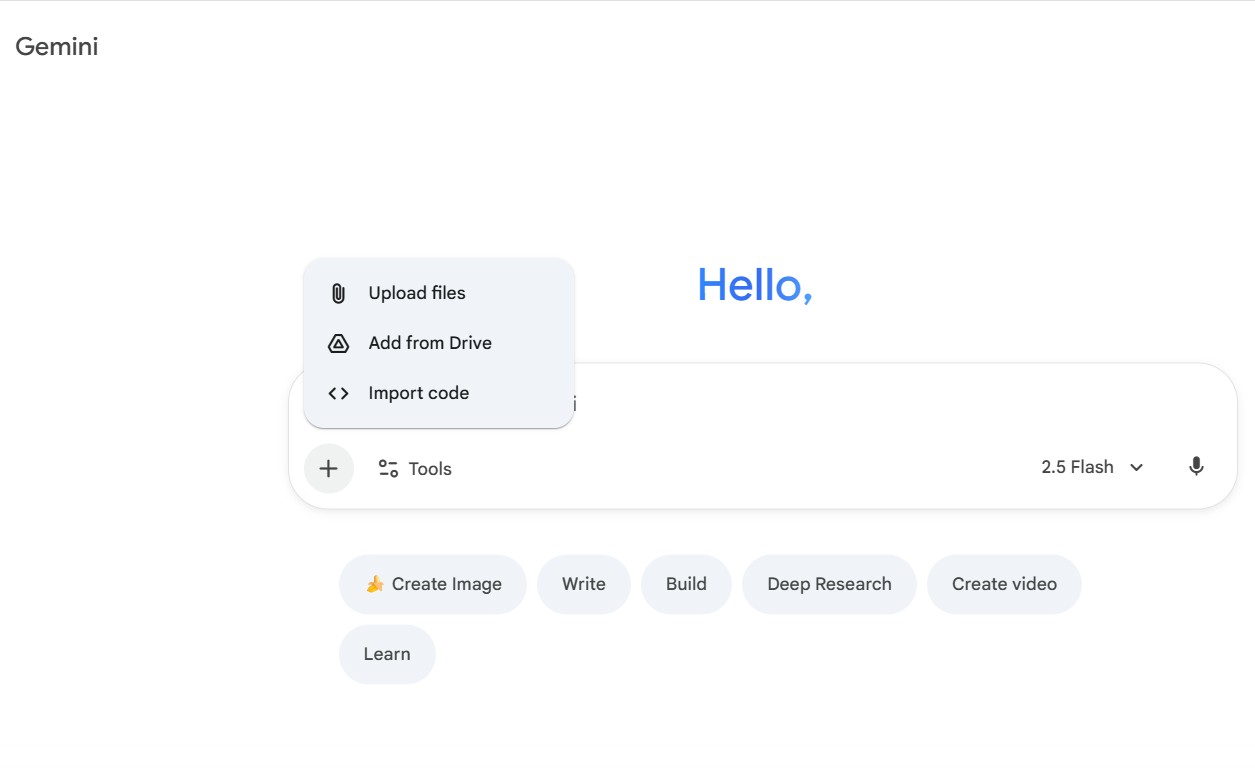
Once your image is uploaded, you'll enter a specific prompt to guide the AI. The more detailed your prompt, the better the result will be.
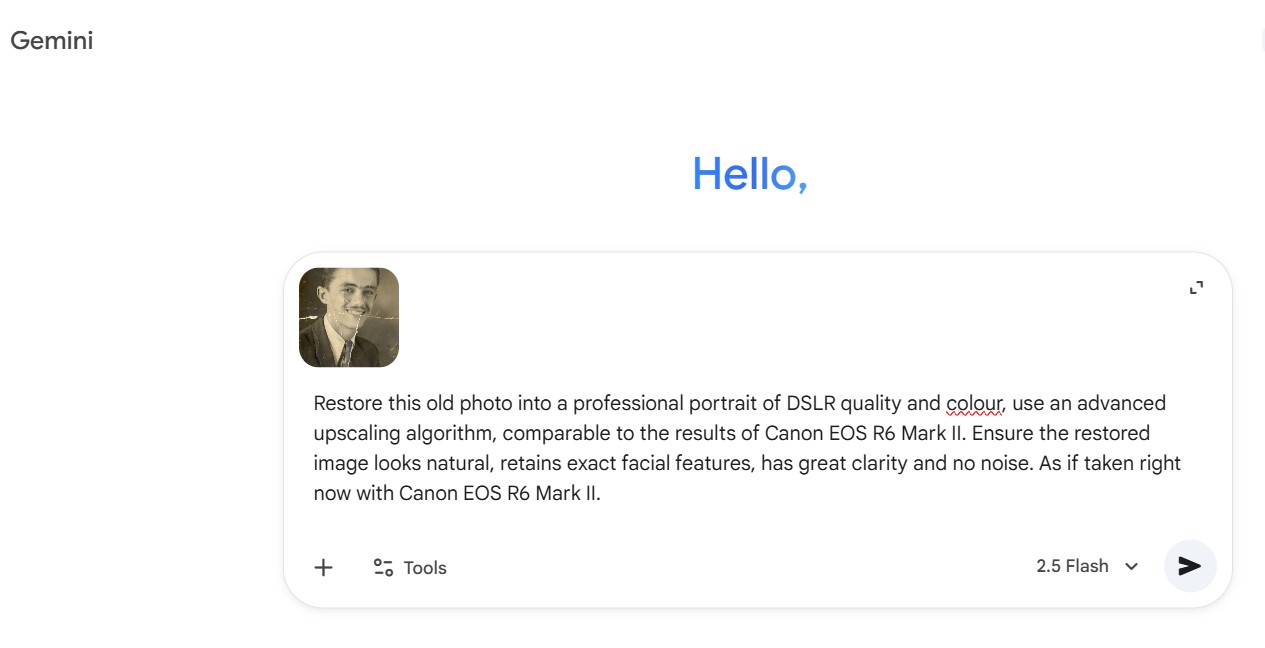
5 Powerful Prompts for DSLR-Quality Results
Here are five simple yet powerful prompts you can use in Google Gemini to achieve professional-grade results. These prompts reference specific high-end cameras and smartphones to give the AI a clear benchmark for quality.
Prompt 1:
Restore this old photo into a professional portrait of DSLR-quality colour and detail, using an advanced upscaling algorithm comparable to the results from the Canon EOS R6 Mark II. Ensure the restored image looks natural, retains exact facial features, has excellent clarity and no noise. As if taken right now with Canon EOS R6 Mark II.
Prompt 2:
Restore this old photo to match the image quality of the Canon EOS R5. Please make sure the restored photo maintains the look of the source photo; it should be realistic, with no grain or noise, as if it were taken today with a professional camera like the Canon EOS R5.
Prompt 3:
Edit this photo into a professional portrait of very high quality and colour, comparable to the results of Nikon D850. Remove grains, cracks and noise. Produce ultra-realistic image, 8K Ultra HD.
Prompt 4:
Edit this photo to make it look like it was clicked by iPhone 17. Remove grains, cracks and noise. Balance light, produce ultra-realistic image, 4K Ultra HD.
Prompt 5:
Restore this old photo to make it look like it was clicked with a Samsung Galaxy S25 Ultra. Remove grains, cracks and noise. Produce ultra-realistic images with exact facial appearance, apply realistic skin filters, 4K Ultra HD.
Note: Prompts 4 and 5 use high-end smartphones as a reference, as their camera systems are exceptionally good at producing high-quality images.
As another example, a user on X (formerly Twitter) shared their results using a similar prompt, which you can see in their post here.
Final Thoughts on AI-Enhanced Memories
AI technology is revolutionizing the way we interact with our digital world, and these tools offer a wonderful way to preserve the memories of our loved ones. By making old photos look new again, we can make them even more special. Feel free to use the prompts above or tweak them to create your own unique instructions for restoring your precious photographs to stunning high quality.
Comparer les plans et tarifs
Trouvez la formule adaptée à votre charge de travail et débloquez l'accès complet à ImaginePro.
| Plan | Tarif | Points clés |
|---|---|---|
| Standard | $8 / mois |
|
| Premium | $20 / mois |
|
Besoin de conditions personnalisées ? Parlons-en pour ajuster crédits, limites ou déploiements.
Voir tous les détails tarifaires