Developer Offer
Try ImaginePro API with 50 Free Credits
Build and ship AI-powered visuals with Midjourney, Flux, and more — free credits refresh every month.
How to make remarkable videos with Seedance 2.0
How to make remarkable videos with Seedance 2.0
Seedance 2.0 Deep Dive: A Complete Technical Guide to AI Video Generation
Seedance 2.0 sits at the point where prompt engineering stops being a novelty trick and becomes an actual production skill. ByteDance's Seedance family has moved quickly from short, stylized clips to multi-shot sequences with real narrative intent, and the 2.0 generation pushes harder on the things that actually break AI video pipelines: temporal coherence, motion realism, and instruction following. This deep dive covers the full lifecycle — architecture-level intuition, pre-production planning, a repeatable generation workflow, advanced control techniques, honest limitations, and how to scale AI visual content creation without burning budget on re-rolls.
A quick note on sourcing: because model cards, endpoint names, and parameters change quickly, treat every API-shaped example below as representative rather than authoritative. Always reconcile your workflow against the current documentation for the version you are calling. What does not change is the underlying craft — pre-production, prompt structure, iteration discipline, and asset hygiene.
1. Understanding Seedance 2.0 in the AI Video Generator Landscape
What Is Seedance 2.0 and What Can It Do?
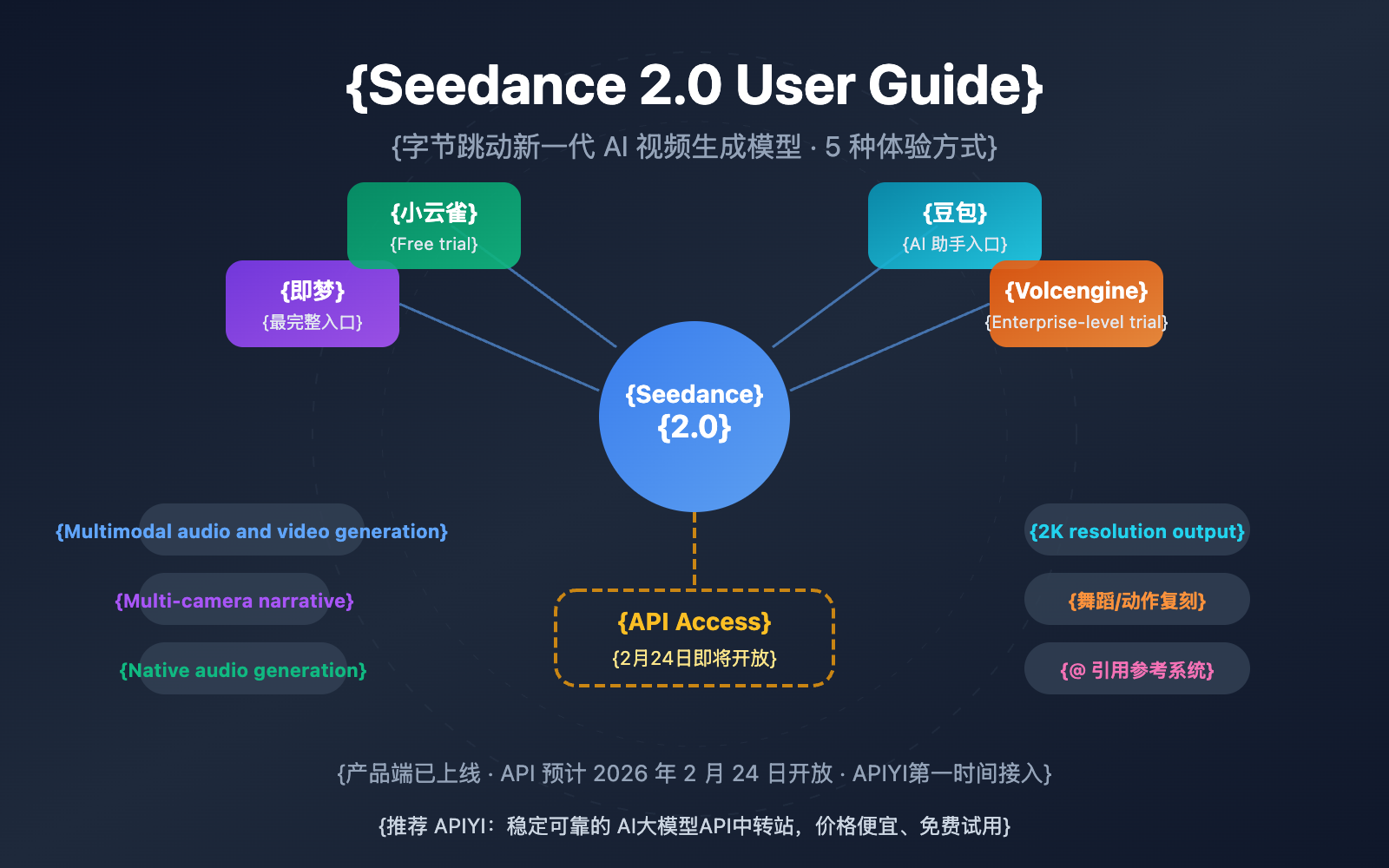
Seedance 2.0 is a diffusion-transformer video generation model designed to turn text prompts and reference images into short cinematic clips. Like its predecessor, it accepts text-to-video and image-to-video inputs and outputs standard container formats (commonly MP4/H.264 or H.265 at 720p–1080p), which means the output drops straight into conventional editing tools rather than locking you into a proprietary viewer. Typical durations are measured in seconds, not minutes, which is the single most important constraint to internalize before you plan anything.
The practical framing: Seedance 2.0 is a shot generator, not a timeline generator. You are producing raw footage, and the "film" is assembled in your editor.
Key Capabilities for AI Visual Content Creation
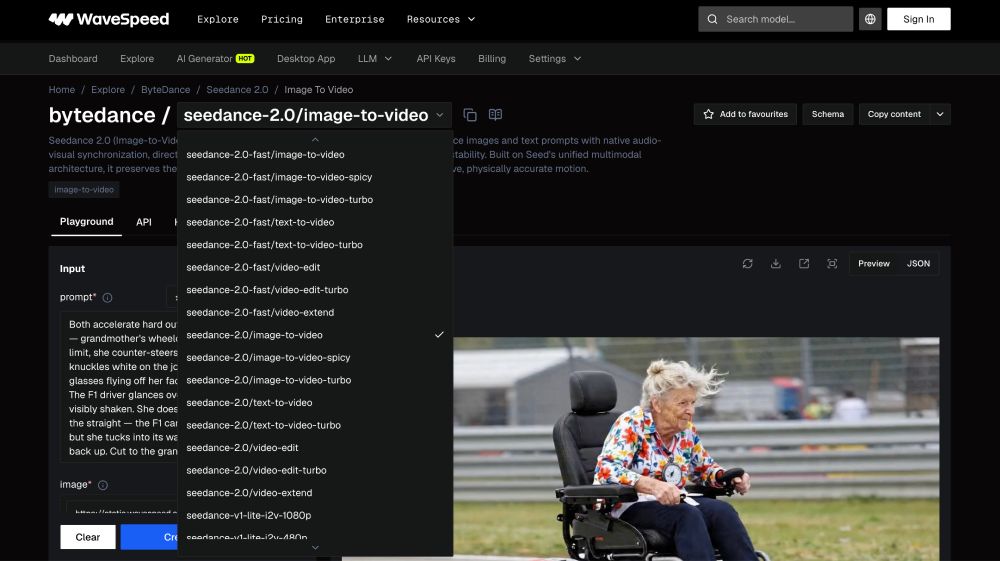
Four capabilities do most of the heavy lifting. First, text-to-video for concepting and B-roll. Second, image-to-video, which is where the model earns its keep — anchoring a generated frame as the first frame dramatically improves identity and composition stability. Third, motion control: directional cues in the prompt (dolly-in, slow pan right, whip up) are interpreted far more literally than in earlier generations. Fourth, style transfer and consistency features, including seed reuse and reference-frame conditioning that let you keep a character or palette recognizable across separate generations.
How Seedance 2.0 Compares to Other AI Video Generators
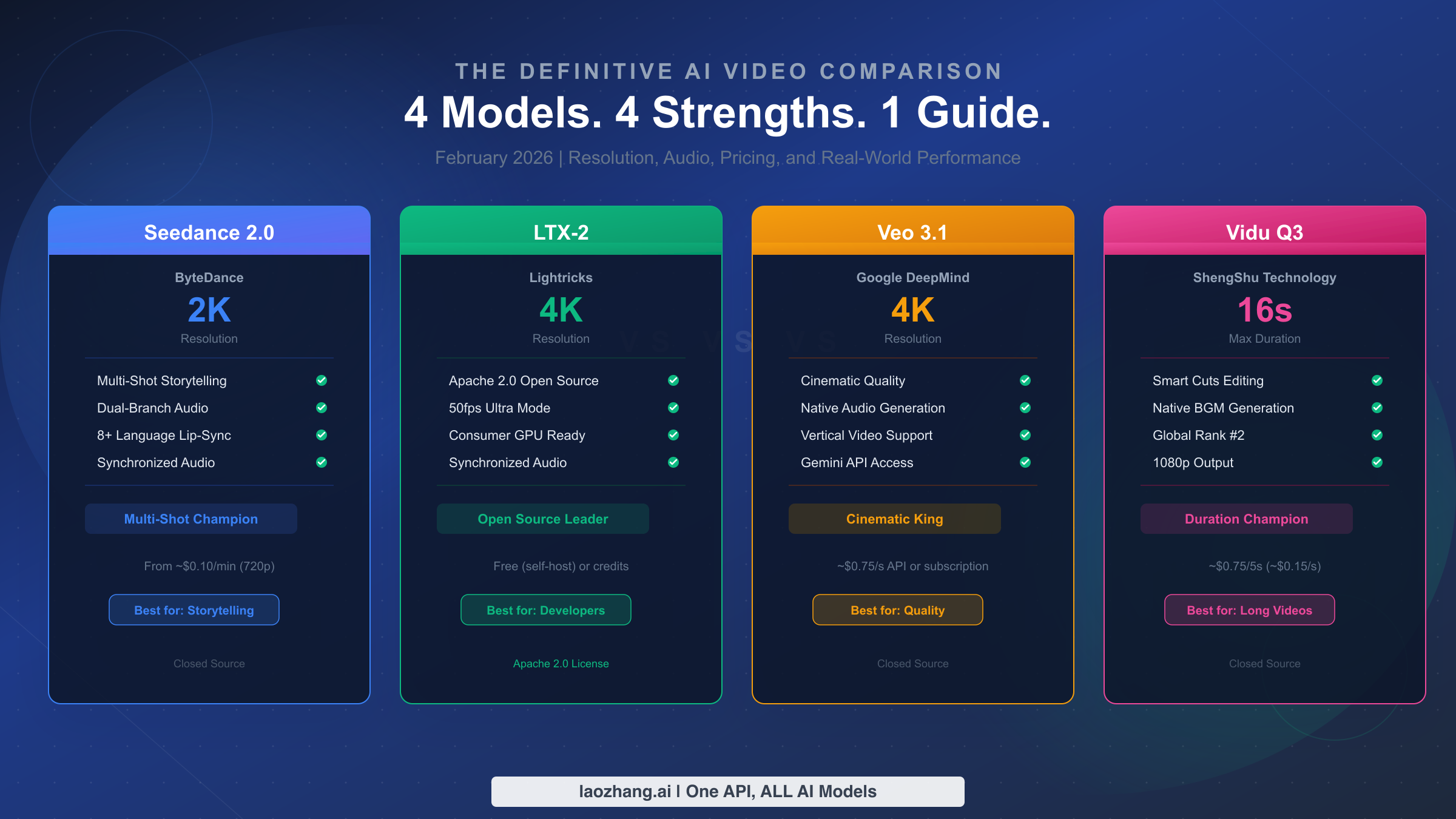
| Dimension | Seedance 2.0 (typical strengths) | Where alternatives pull ahead |
|---|---|---|
| Prompt adherence | Strong on compound instructions | Some models handle long, nested prompts better |
| Motion realism | Good physics on medium-speed motion | Specialized models win on complex human motion |
| Consistency | Solid with image conditioning + seed lock | Enterprise suites offer stronger asset libraries |
| Access | Hosted endpoints, per-second billing | Some competitors offer generous free tiers |
| Output control | Good frame count and aspect control | Fewer native upscaling/export options |
The honest summary: Seedance 2.0 is excellent for stylized, fast-iteration work. It is weaker when you need long continuous takes, precise character identity over dozens of shots, or enterprise governance features.
Technical Deep Dive: How Seedance 2.0 Interprets Prompts and Motion
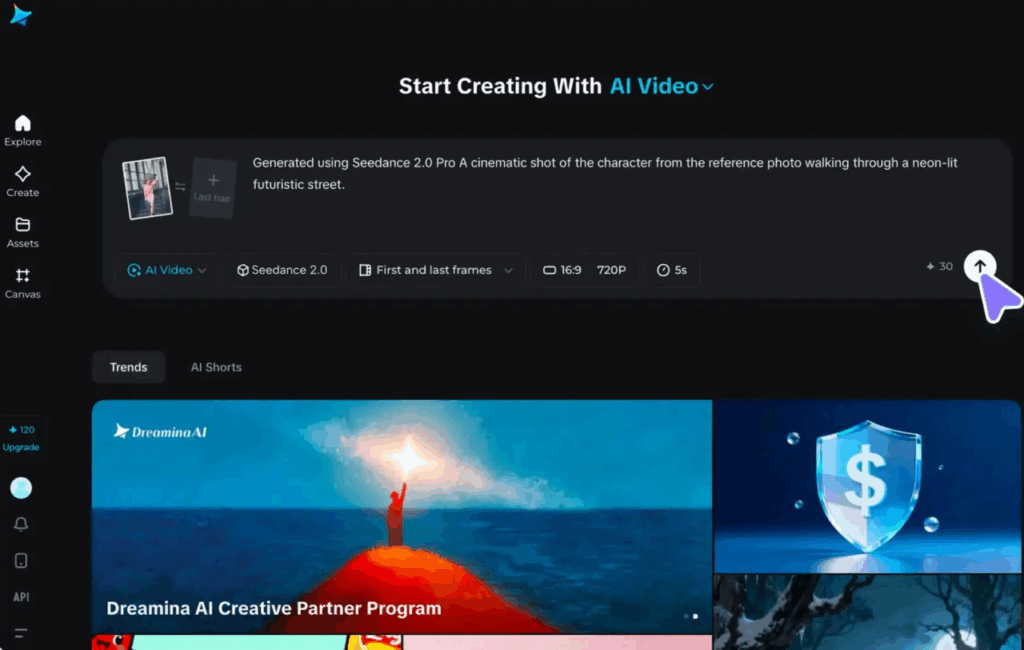
Modern video diffusion transformers denoise a latent representation jointly across spatial and temporal axes. That architecture explains most observed behavior. Prompt adherence is strongest for concrete, visually verifiable nouns and verbs ("a woman in a red raincoat steps over a puddle") and weakest for abstract affect ("a feeling of melancholy"). Temporal coherence improves with shorter clips because the attention window has fewer frames to reconcile — doubling clip length does not double your usable usable footage; it usually halves your hit rate.
Seed behavior is your reproducibility lever. Holding the seed constant while changing one prompt variable isolates what caused a change, which is the whole basis of a disciplined iteration loop. Motion interpretation, meanwhile, is biased toward the dominant subject: if you ask for a fast camera move and a subtle facial expression in the same shot, the camera wins and the expression disappears. Prioritize one motion per clip.
What Official Documentation and Early Adopters Emphasize
The consistent theme across public guidance and practitioner write-ups is simplify before you complicate. Start with a short prompt, confirm the composition, then layer in lighting and camera language. Early adopters also stress checking the model card for the exact supported resolutions and frame counts, since generating at an unsupported aspect ratio often produces silently degraded output rather than a clean error.
2. Pre-Production Planning for Remarkable Videos

Defining Goals, Audience, and Platform Requirements
Before generating anything, write down three things: the platform (which dictates aspect ratio), the target duration, and the single action you want the viewer to take. A vertical TikTok hook has different pacing demands than a 16:9 website explainer. Getting this wrong is the most expensive mistake in the pipeline because it forces full regeneration rather than a trim.
| Platform | Aspect ratio | Sweet-spot length | Notes |
|---|---|---|---|
| TikTok / Reels / Shorts | 9:16 | 7–21 s | First 1.5 s decides retention |
| YouTube (standard) | 16:9 | 6–10 s per clip | Longer, slower beats survive |
| Instagram feed | 4:5 or 1:1 | 8–15 s | Crop-safe framing matters |
| Website hero | 16:9 or 21:9 | 5–8 s | Loop-friendly, no hard cut |
Storyboarding and Shot Lists for AI Video Generation
Storyboard in beats, not seconds. Each beat is one generation: an establishing shot, a subject action, a reaction, a product detail. Note the camera direction and transition next to each beat. Because you cannot direct a reshoot, the shot list is your insurance policy — if a beat fails repeatedly, you know exactly which beat to rewrite instead of regenerating the whole sequence.
Preparing Text Prompts, Reference Images, and Style Guides
A workable prompt structure is: subject → action → environment → lighting → camera → style → motion modifier. Negative prompts are equally important; excluding "text, watermark, extra limbs, distorted face" prevents a large share of unusable renders. Build a style guide containing three to five reference images that define your palette, grain, and lens character, and reuse those references across every generation in a project.
Using an AI Image Generator for Content Creators to Build Source Assets
Image-to-video is dramatically more controllable than text-to-video, so your best investment is upstream: build the first frame deliberately. This is where an AI image generator for content creators such as Imagine Pro becomes genuinely useful — you can generate high-resolution character sheets, product mockups, and mood boards, then feed the winning frame directly into an image-to-video endpoint. Imagine Pro's free trial is enough to test whether a generated first frame stabilizes identity in your Seedance 2.0 output. In practice, anchoring with a clean, well-lit still cut my own re-roll rate on character shots roughly in half.
Legal and Ethical Pre-Checks
Confirm four things before publishing: you own or have licensed every reference image; no real person's likeness is being synthesized without consent; synthetic content is disclosed where platform policy requires it; and your training/reference assets do not reproduce copyrighted characters. Platforms have tightened AI disclosure rules repeatedly, and retroactively labeling a published video is messier than labeling it at upload.
3. Step-by-Step Workflow for Making Videos with Seedance 2.0
Setting Up Your Seedance 2.0 Project
Lock your parameters before the first generation: model version (pin it — silent upgrades invalidate your presets), aspect ratio, resolution, frame count, and seed. Create one folder per project with subfolders for prompts, references, raw renders, and finals.
Crafting Effective Prompts for Seedance 2.0
Use one dominant action, one dominant camera move, and concrete lighting language. A representative payload shape looks like this:
{
  "prompt": "Wide shot, ceramic coffee cup on a windowsill, steam curling upward, soft morning backlight, slow dolly-in, shallow depth of field, 35mm film grain",
  "negative_prompt": "text, watermark, extra fingers, warped geometry, flicker",
  "image": "refs/cup_v3.png",
  "aspect_ratio": "16:9",
  "duration_seconds": 5,
  "seed": 481207,
  "motion_strength": 0.6
}
Field names differ across hosted endpoints — verify against your provider's current schema. The ordering principle is what transfers.
Generating and Reviewing First Clips
Generate in batches of three to five with varied seeds while holding the prompt constant. Score each clip on four axes: prompt fidelity, motion plausibility, artifact count, and editability (can you cut into it cleanly?). Only the fourth axis matters if the clip is unusable in your timeline.
Refining Motion, Transitions, and Timing
Reduce motion strength before rewriting the prompt — over-energetic motion is the most common cause of melted faces. Use clip extension sparingly, since coherence degrades along the extension. For transitions, generate overlapping tail and head frames, then cut on movement in your editor.
Exporting, Naming, and Organizing Assets
Adopt a schema like project_beat_variant_seed_resolution.mp4. Export at the highest bitrate your editor accepts, and never re-encode more than twice across the pipeline — each pass compounds blocking artifacts that are invisible on a still frame and obvious in motion.
4. Advanced Techniques for Polished AI Video Generation
Achieving Temporal Consistency Across Shots
The reliable recipe is: character sheet as first frame + locked seed + shorter clips + consistent style reference. Seed locking alone is not enough; identity drift usually comes from reference drift, not noise variation. Generate a canonical "hero frame" per character and reuse it for every shot in that scene.
Controlling Camera Movement and Composition
Camera language transfers well: dolly, truck, pan, crane, handheld, and static. Composition is where most people leave value on the table. Specify depth layering ("foreground out-of-focus branch, mid-ground subject, distant skyline") to force parallax, which reads as expensive even when motion is minimal.
Hybrid Workflows: AI Video, Real Footage, and Motion Graphics
Composite generated clips with live action using mattes and color-match passes (lift/gamma/gain plus a subtle grain layer). AI footage tends to be cleaner than camera footage, so adding matched grain to the generated clip reads more naturally than denoising the real one.
Upscaling and Enhancing with Complementary AI Tools
Generate at native resolution, then upscale rather than generating at maximum resolution from the start. Imagine Pro is also handy for high-resolution stills used as thumbnails or intro frames — stills are far cheaper to regenerate than video, so iterate on the image, then animate it.
Performance Benchmarks: Iteration Speed vs. Quality
Higher resolution, longer clips, and more complex prompts all multiply render time non-linearly. A practical rule: prototype at the lowest resolution that still reads correctly, then regenerate only the winning seed at delivery resolution.
5. Real-World Use Cases and Lessons from Production
Short-Form Social Videos and Ads
Vertical formats reward aggressive iteration. Generate ten 3-second hooks, test them as separate posts, then produce the winner at higher quality.
Product Demos and Explainer Videos
Keep the product in sharp focus with minimal camera movement. A common failure: asking for an orbit around a product with fine text, which produces garbled lettering. Generate the label as a still and composite it in.
Fantasy, Sci-Fi, and Photorealistic Storytelling
Genre work benefits from a locked style reference. Photorealism needs softer lighting language ("overcast diffusion") because hard specular highlights expose synthetic skin.
Case Study: From Prompt to Final Cut
On a recent 20-second product teaser, beat one (the establishing shot) converged in two attempts. Beat three — a hand opening a box — failed eleven times: fingers interpenetrated the packaging on nearly every seed. The fix was not better prompting; it was restructuring the shot so the box opened off-frame and only the result was shown. That is the recurring lesson in AI video generation: change the shot, not just the words.
Creative Iteration: A/B Testing Hooks and Visuals
Test one variable at a time — opening frame, pacing, or CTA card. Changing three things at once gives you a winner you cannot explain.
6. Common Pitfalls When Using Seedance 2.0 and How to Avoid Them
Inconsistent Characters, Objects, and Environments
Cause: reference drift and long clips. Fix: hero frames, locked seeds, 3–5 second shots, and a consistent style reference.
Overcomplicated Prompts and Unintended Motion
Cause: competing instructions. Fix: one motion per clip, negative prompts, and lower motion strength before rewrites.
Poor Pacing, Audio, and Aspect Ratio Choices
Decide orientation before generating. Design sound after picture lock — AI video has no native audio, so foley and music carry the perceived quality.
Quality Loss During Export and Compression
Maintain bitrate discipline, avoid repeated re-encodes, and archive the original render as your master.
When Not to Use Seedance 2.0
Skip it when you need precise human dialogue, long continuous takes, legally sensitive real-person likeness, or simple screen-recorded demos. A phone camera and a basic editor will beat a generative pipeline on time and cost.
7. Optimizing AI Visual Content Creation for Platforms and SEO
Choosing Aspect Ratios, Resolutions, and Lengths
Match the platform natively rather than cropping in post; reframing loses composition intent and often crops the subject.
Creating Thumbnails and Cover Images
Generate thumbnails as stills and test two to three variants. Readability at 320px wide matters more than detail at 1920px.
Writing Titles, Descriptions, and Tags
Front-load the primary keyword in your title and repeat it naturally in the first sentence of your description. Platform search indexes spoken and on-screen text, so captions double as metadata.
Captions, Sound Design, and Accessibility
Burn in or upload captions, keep contrast high, and never rely on audio alone to convey critical information.
Repurposing One Video Across Multiple Channels
Cut a 16:9 master into 9:16 and 1:1 variants with platform-native hooks rather than generic crops.
8. Seedance 2.0 Alternatives, Complementary Tools, and When to Choose Them
Seedance Alternative Evaluation: What to Look For
When evaluating a Seedance alternative, score six criteria: output quality at your target resolution, motion control granularity, consistency features, API access and rate limits, pricing model (per-second vs. subscription), and export flexibility.
Complementary Tools for AI Video and Image Workflows
A complete stack usually includes an image generator for source assets, an NLE for assembly, an upscaler, and an audio tool. Imagine Pro covers the still-image layer; editors and upscalers handle the rest.
When Seedance 2.0 Is the Right Fit
Fast concepting, stylized content, image-to-video workflows, and short social formats.
When Another AI Video Generator May Be Better
Longer clips, enterprise governance, or motion styles where a competitor has a documented edge.
Industry Best Practices for Evaluating AI Video Generators
Run the same three-prompt test across every candidate model and compare hit rate, not demo quality.
9. Measuring Results and Scaling Your Video Production
Key Metrics for AI-Generated Videos
| Metric | What it tells you | Target signal |
|---|---|---|
| 3-second retention | Hook strength | >60% on short-form |
| Watch-through rate | Pacing quality | Rising over iterations |
| CTR | Thumbnail/title fit | Compare variants only |
| Conversion | Message clarity | Absolute, not relative |
Collecting Feedback and Iterating on Prompts
Log every prompt with its seed, model version, and score. After a few projects, this becomes a searchable library that shortens kickoff dramatically.
Building Templates, Presets, and Asset Libraries
Save aspect ratios, style references, and negative prompts as presets so a new project starts at 70% complete.
Scaling Without Losing Brand Voice
Codify a one-page style guide and run a QA pass on palette, typography, and tone before anything ships. Speed multiplies output; a style guide is what keeps the output recognizable as yours.
Seedance 2.0 rewards planning far more than it rewards prompt cleverness. Anchor your first frames, keep clips short, lock what works, and treat every generation as a shot rather than a film — and the pipeline scales from a weekend experiment to a repeatable production line.
Compare Plans & Pricing
Find the plan that matches your workload and unlock full access to ImaginePro.
| Plan | Price | Highlights |
|---|---|---|
| Standard | $8 / month |
|
| Premium | $20 / month |
|
Need custom terms? Talk to us to tailor credits, rate limits, or deployment options.
View All Pricing Details